Apple Silicon (M1 or later): Apple Silicon package. Intel: Intel package. Find your chip or processor under Apple menu → About This Mac. Both packages require macOS 14 or later.
Something is not working
The app will not open.
Check the macOS version and package architecture. Open the app from Applications. Download again if the package is damaged. A company Mac may need IT approval.
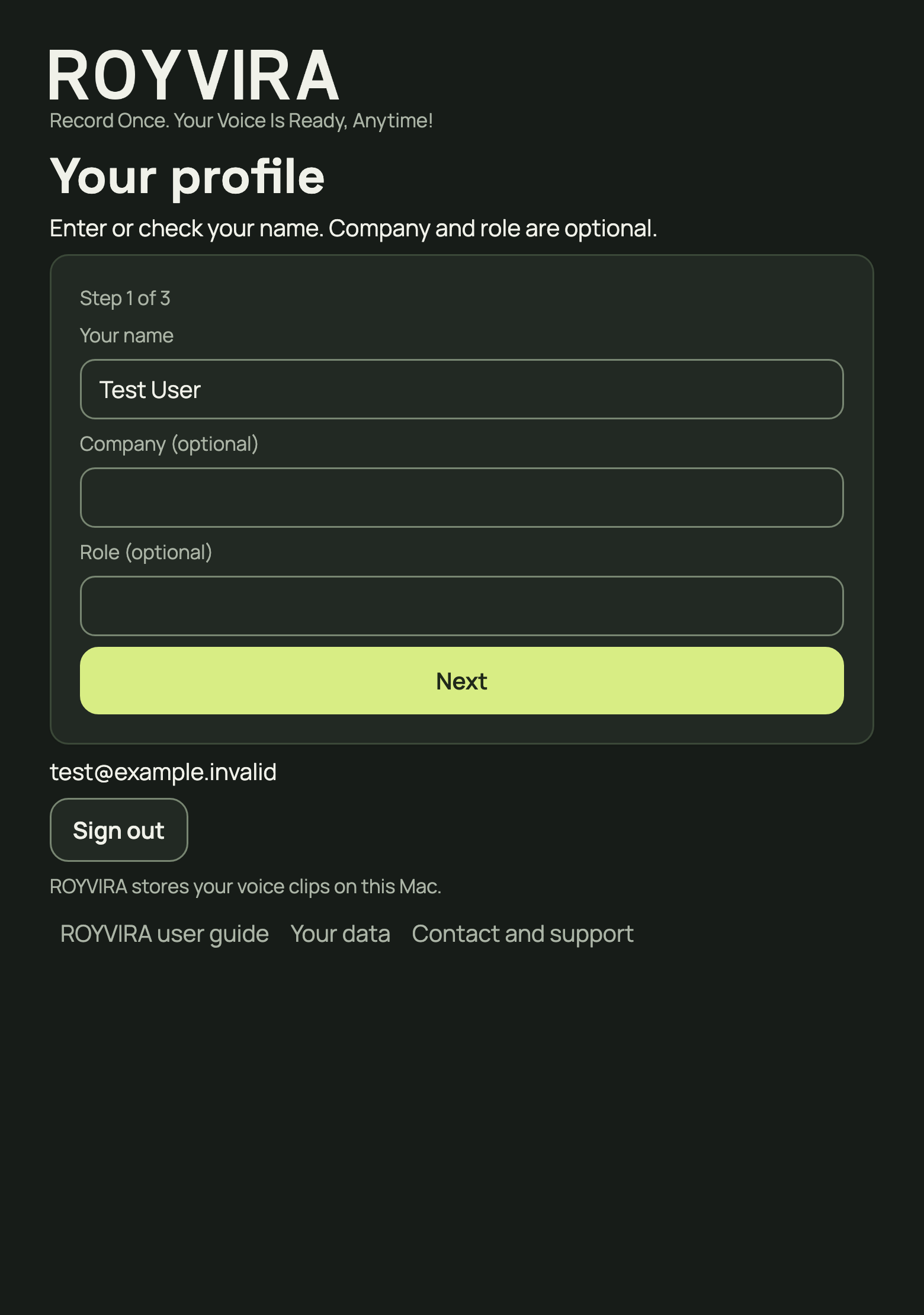
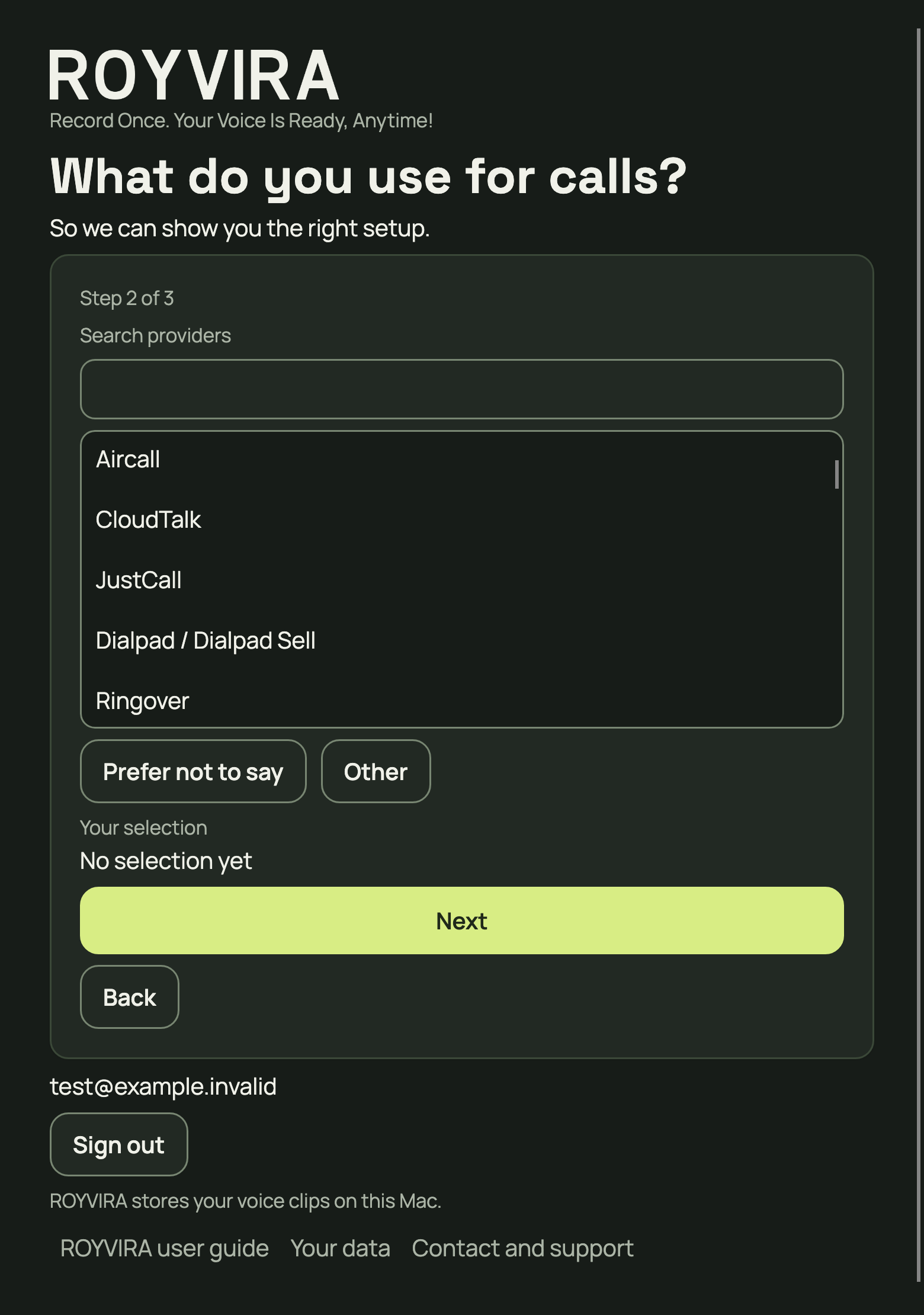
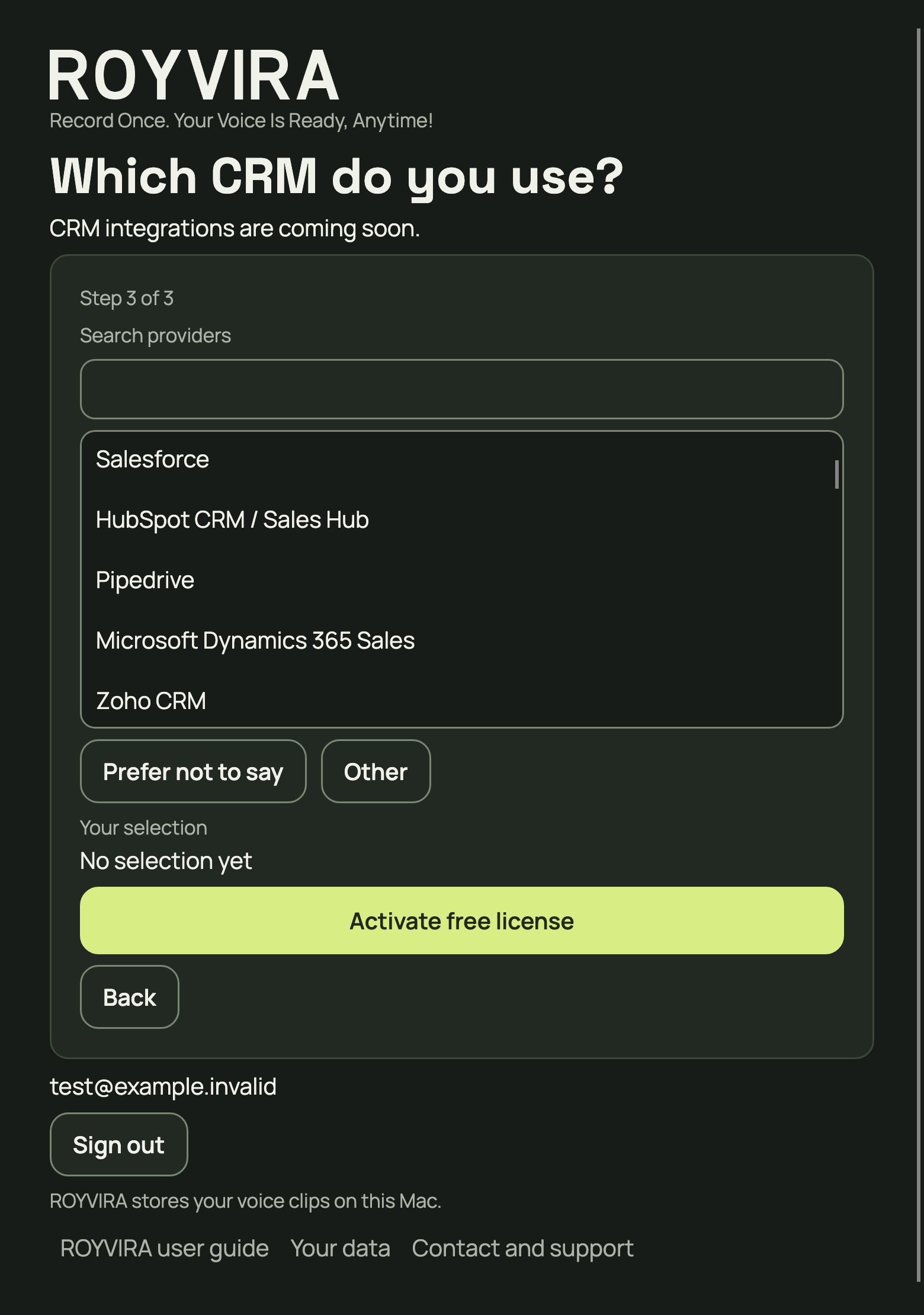
Enter your name and choose Next. Answer calling tool, then continue to CRM. Search for each tool or deliberately choose Prefer not to say or Other. After answering CRM, choose Activate free license.
Expected result: Your profile is saved. You can start audio setup.
Enter your name; company and role are optional.More app viewsChoose a calling tool deliberately. Prefer not to say and Other are valid answers.Answer CRM and finish the profile with Activate free license.More detail
Company and role are optional. Other needs a name: at most 120 characters, with no leading or trailing whitespace.
Calling tool helps with setup. CRM integrations are planned for later. No CRM is connected today.
Something is not working
My tool is missing.
Choose Other and enter its name. Prefer not to say is also a valid answer. Selecting a provider does not prove its audio compatibility.
Saving fails.
Check the required answers and your connection. Wait for confirmation that your profile was saved.
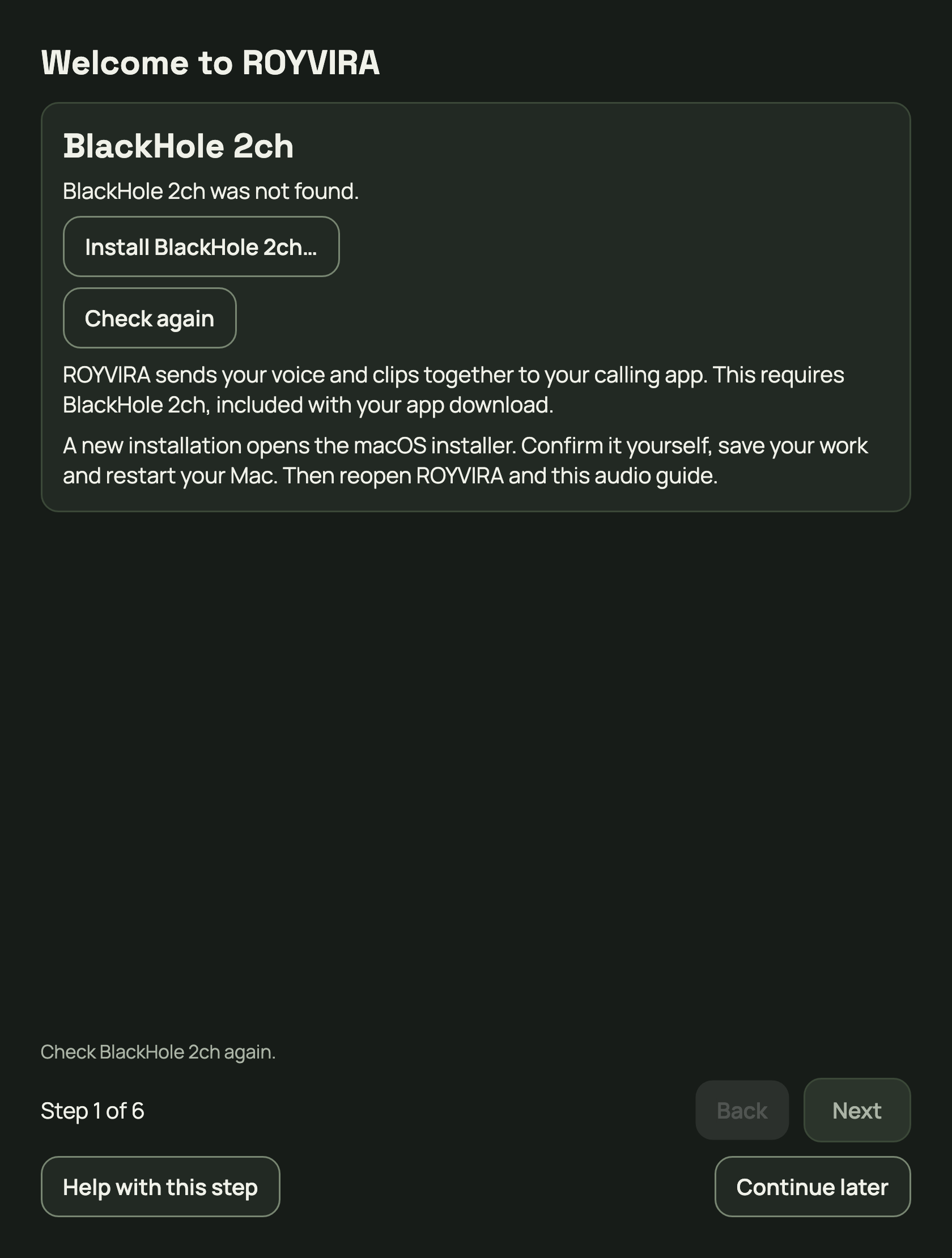
Open “Set up call audio”. If BlackHole 2ch is missing, choose Install BlackHole 2ch and confirm installation in macOS.
Expected result: After successful installation and a Mac restart, “Set up call audio” detects BlackHole 2ch.
If BlackHole is missing, “Set up call audio” offers installation.More detail
If BlackHole 2ch is already ready, continue. Save open work before restarting. Then reopen ROYVIRA and this step.
Use BlackHole 2ch even if you already have a mixer. Stop additional microphone forwarding there so your voice is not sent twice.
Something is not working
The installer opened, but BlackHole is missing.
An open installer window does not confirm installation. Complete it with administrator approval. Without approval, ask your IT team and continue later.
It is still missing after installation.
Restart your Mac and reopen ROYVIRA. Download a fresh app copy if the package is damaged. Do not replace an unknown or newer driver with an older one yourself.
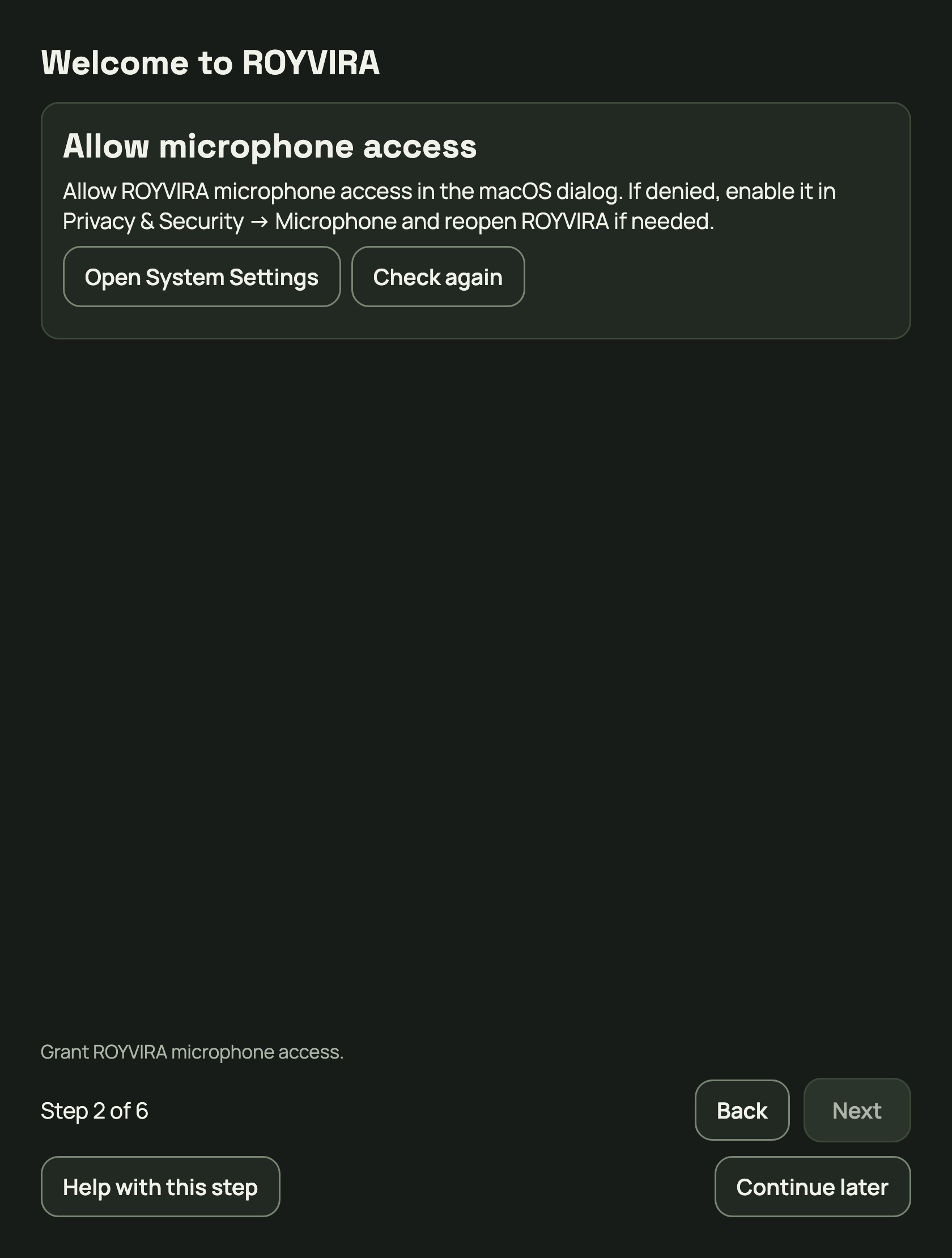
If permission is missing, choose Microphone and allow ROYVIRA access in the macOS dialog. If access was denied, choose Open System Settings.
Expected result: “Set up call audio” shows permission granted. If it is already granted, continue.
Open System Settings if microphone access was denied.Something is not working
I denied access.
Open System Settings → Privacy & Security → Microphone and enable ROYVIRA. Restart the app afterwards if needed. Shortcut permissions are not required for this step.
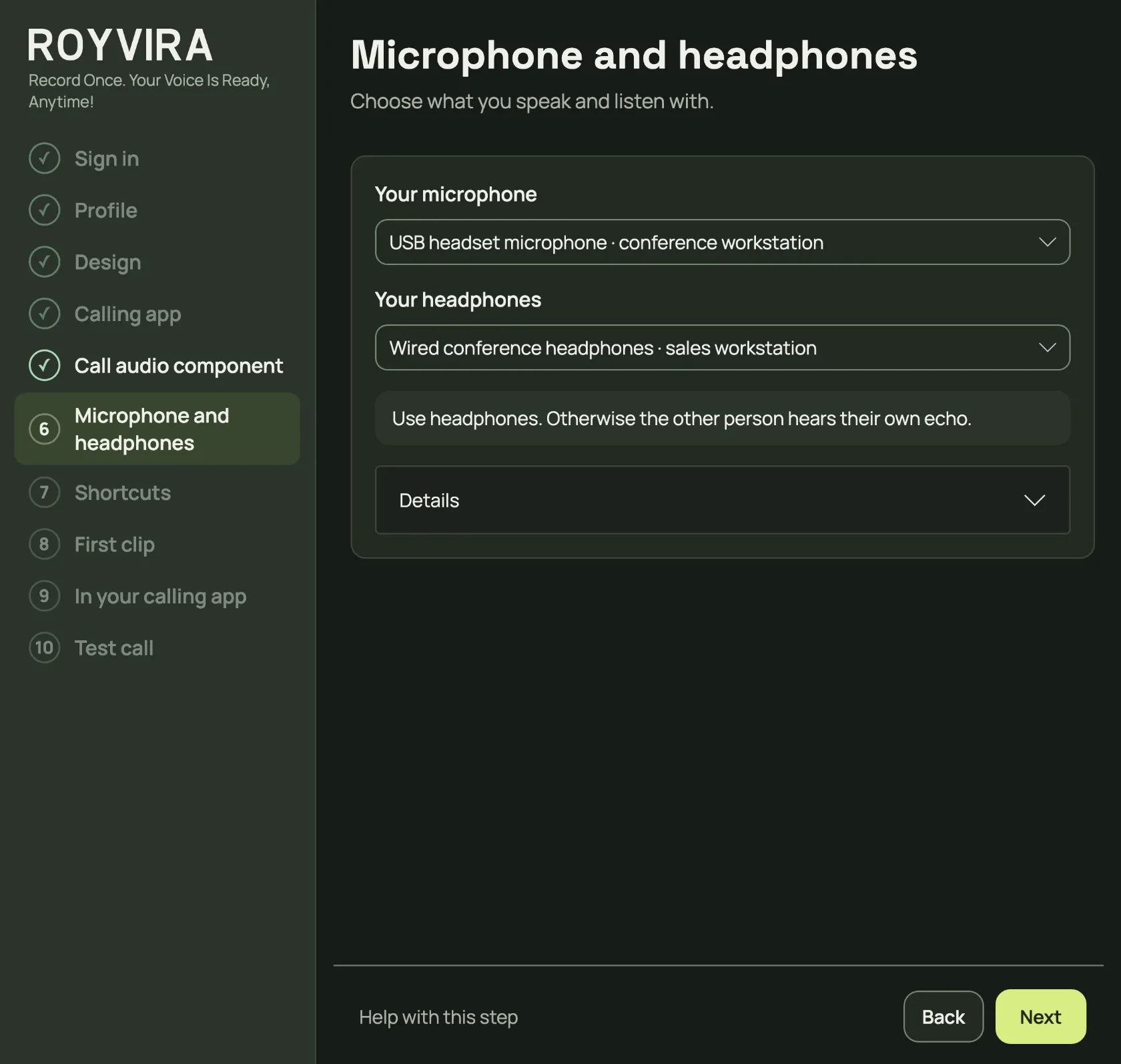
Choose your microphone and headphones. If there is only one suitable microphone or headphone output, ROYVIRA preselects it. Use headphones, otherwise the other person hears their own echo. Choose Next.
Expected result: ROYVIRA knows your devices. From the test call on, ROYVIRA passes your voice to your calling app by itself.
Choose microphone and headphones. Use headphones, otherwise the other person hears an echo.More detail
Use headphones so the other person’s voice does not feed back into your microphone. BlackHole 2ch is neither your headphones nor your Mac output.
To change devices later, choose Settings → Change headphones or microphone…. This opens the setup.
Something is not working
My device is missing.
Check its connection and reopen device selection. Recheck the route after changing devices. ROYVIRA does not choose a fallback when a device disappears.
My voice is too quiet or too loud.
Check microphone volume under Details. Clip volume does not change your live voice.
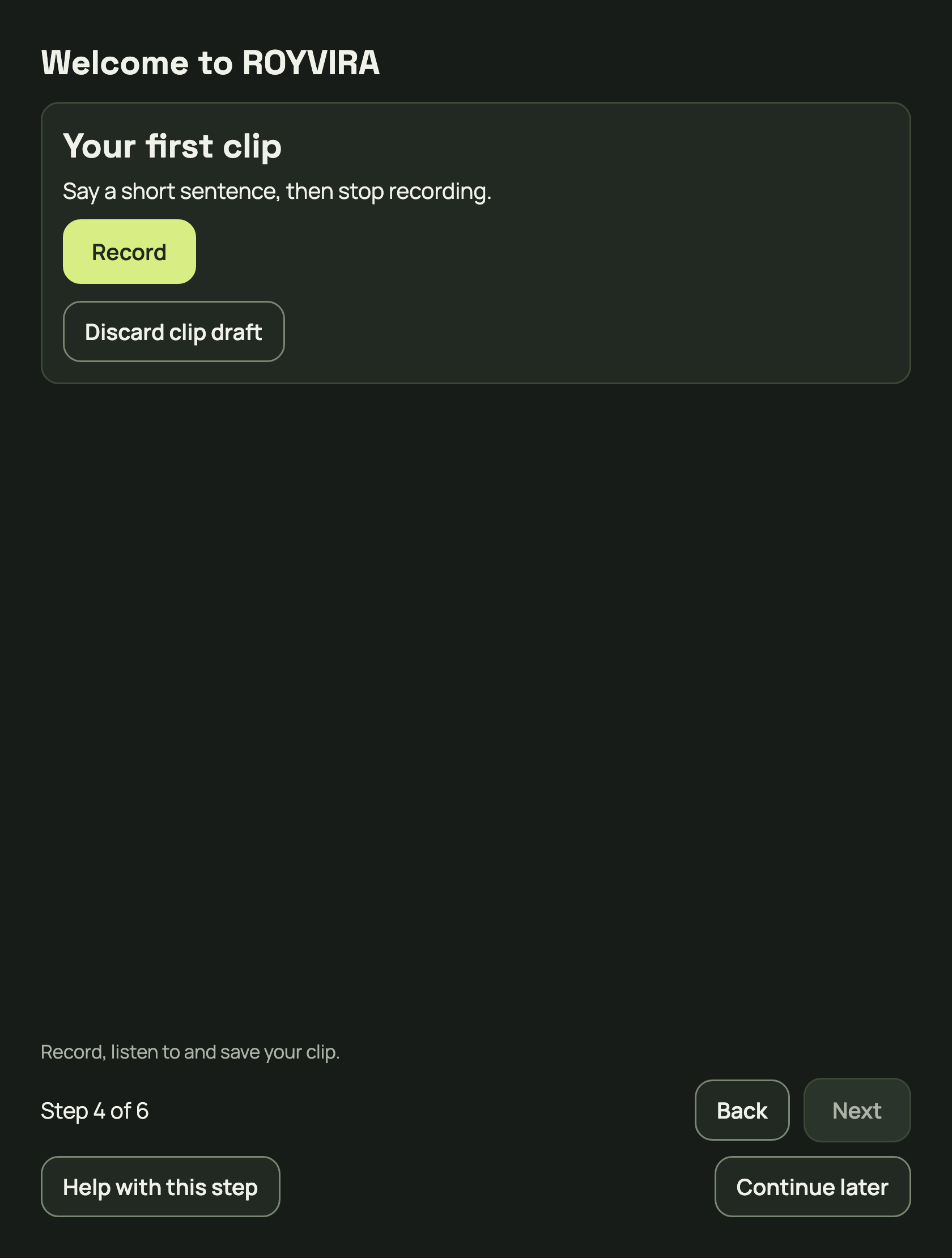
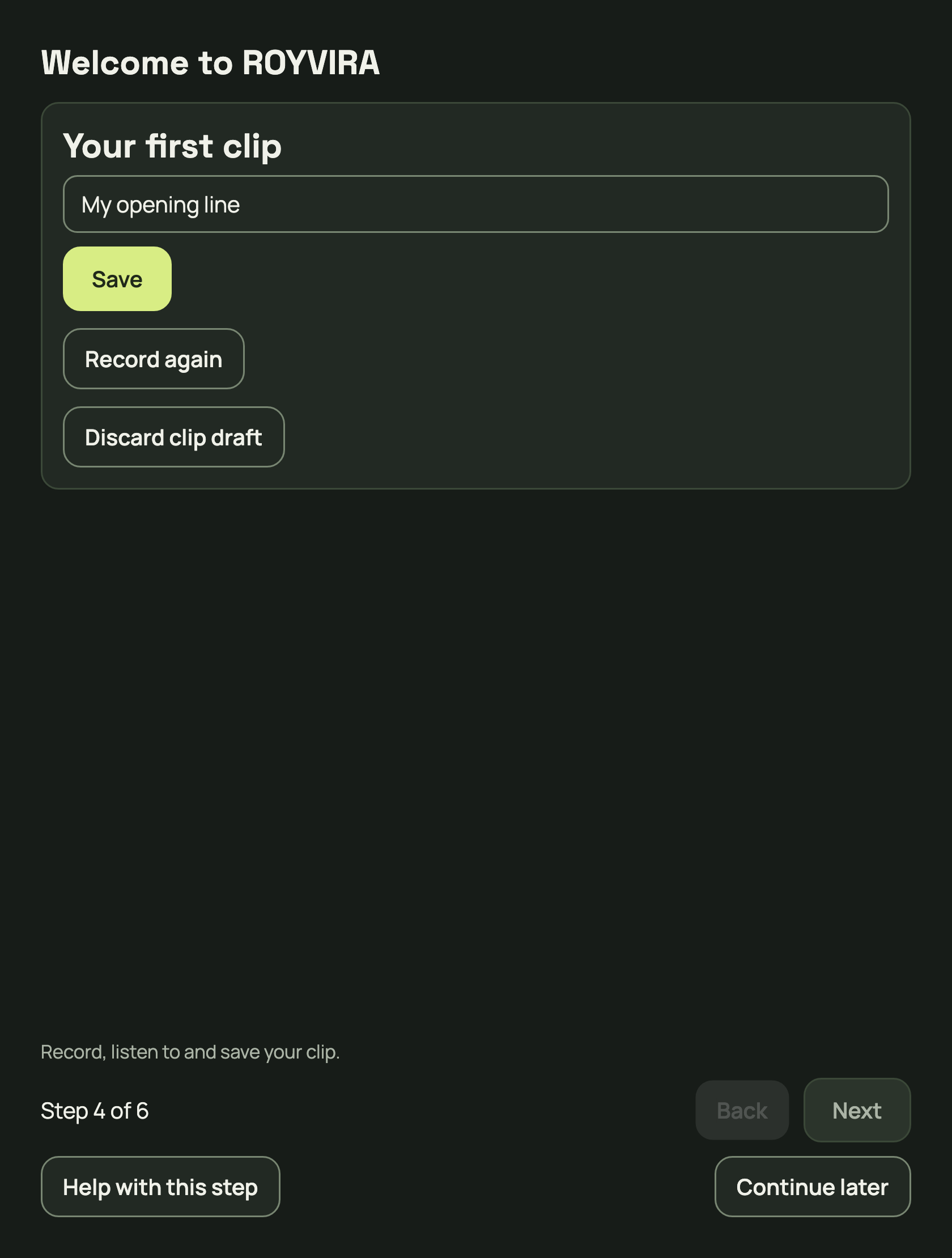
Choose Record your first clip, then Record. Say a short sentence and choose Stop recording. Choose Listen to clip. Give the clip a name and choose Save. Record again or Discard starts over.
Expected result: Your first clip is saved. One clip is enough for the test call.
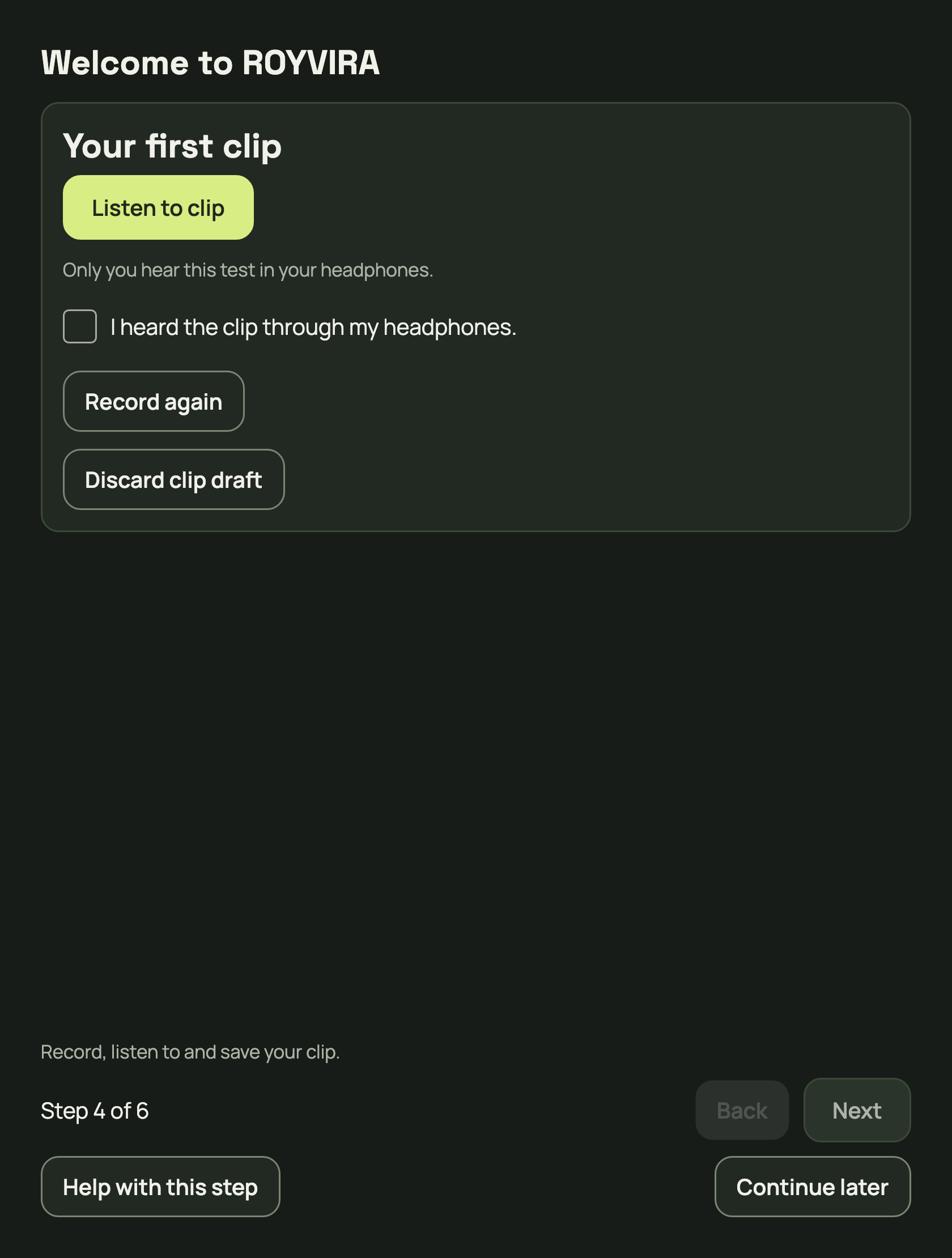
Record starts your first clip. Finish with Stop recording.More app viewsListen to clip and confirm that you actually heard it locally.After confirming local listening, enter a name and choose Save.More detail
After stopping, wait for recording processing to finish. Naming and Save appear as soon as listening has started; there is no tick box to confirm it. If your first clip is already saved, choose Listen to clip when the app asks.
While you record a clip, ROYVIRA pauses forwarding and resumes it afterwards. Choose headphones for local listening. Hearing the clip locally does not confirm it reaches your call.
Something is not working
I cannot hear the recording.
Check microphone permission and the selected microphone. Check headphones and volume for listening. Record again if needed.
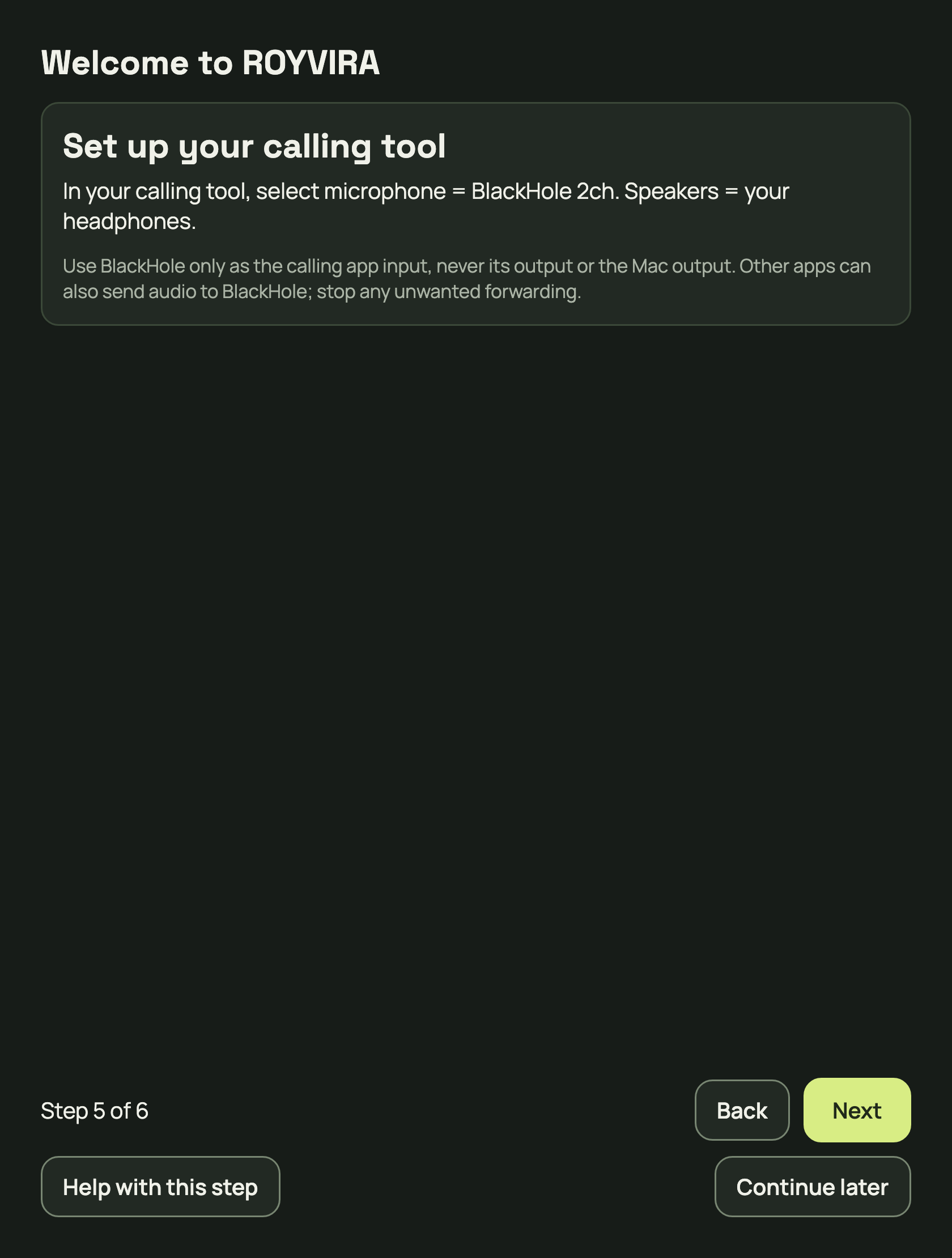
In your calling app, choose BlackHole 2ch as microphone and your headphones as speakers.
General BlackHole instructions. No individually verified setup is available here yet.
Microphone / input
BlackHole 2ch
Speakers / output
Your headphones
Expected result: Your calling app uses the BlackHole input. Next, check whether voice and clips arrive in a test call.
General calling route: BlackHole 2ch as microphone, headphones as speakers.More detail
ROYVIRA does not change these settings for you. This general guide also covers Prefer not to say, Other and providers not individually tested. Menu names may differ.
Something is not working
BlackHole is not offered.
Check installation and restart. Reopen your calling app afterwards. If it cannot select this input, ask its IT team or support. A catalog entry does not promise compatibility.
I call in a browser.
Allow microphone access for the calling site. Check device selection in the site and, if it uses the browser’s default microphone, in browser settings too. Reopen the site after changes.
There is echo or system audio.
Do not choose BlackHole as Mac or calling speakers. Use headphones and stop additional forwarding in other apps.
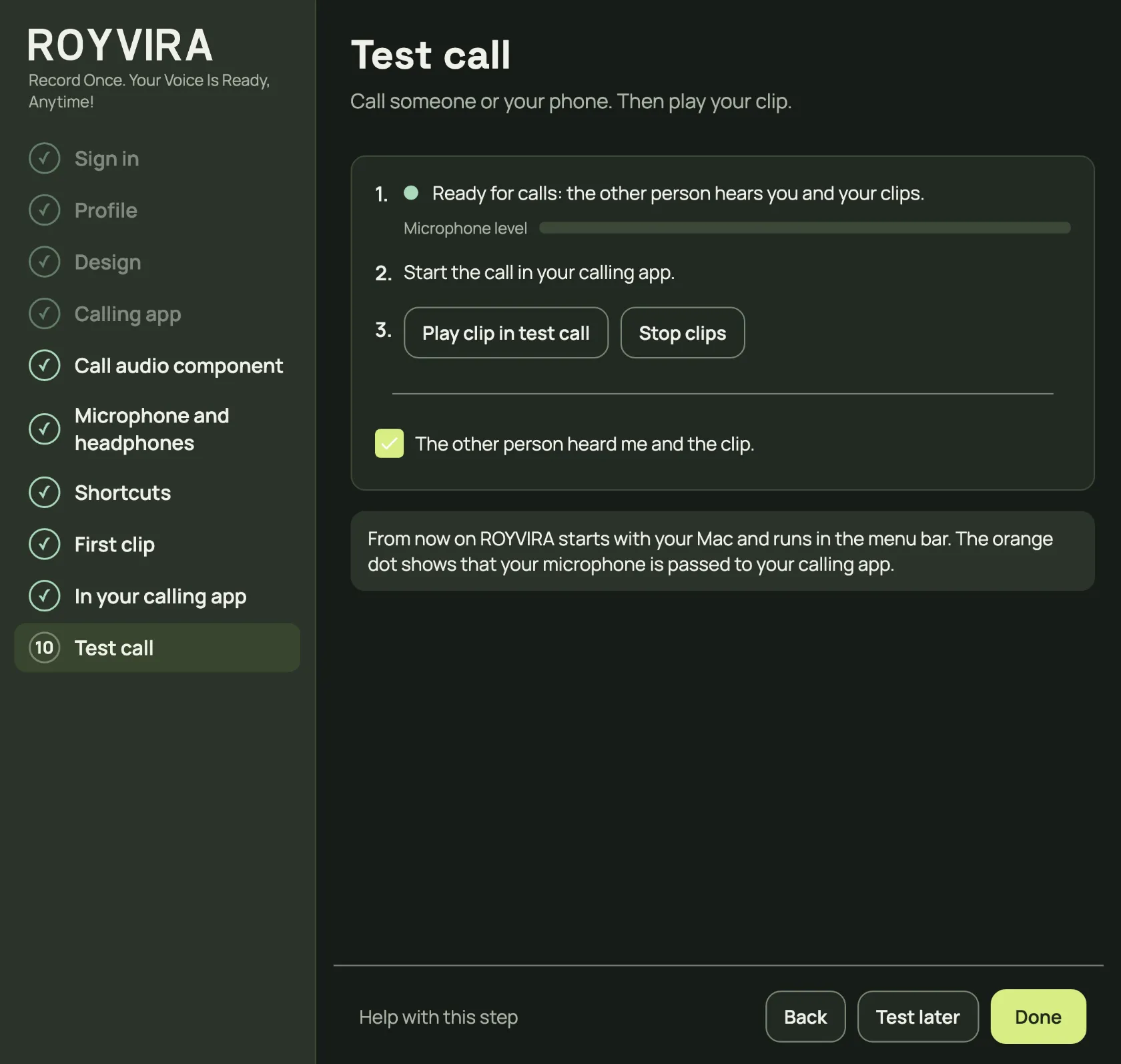
Start the call in your calling app, to a test partner or your phone, and choose Play clip in test call. Ask them to confirm voice and clip. Tick The other person heard me and the clip only when both arrive and the preview stayed local. Then choose Done.
Expected result: Done finishes the setup with a confirmed test call. If nobody is available to test with, choose Test later: the setup is complete, and in the soundboard the note Test call still open. reminds you.
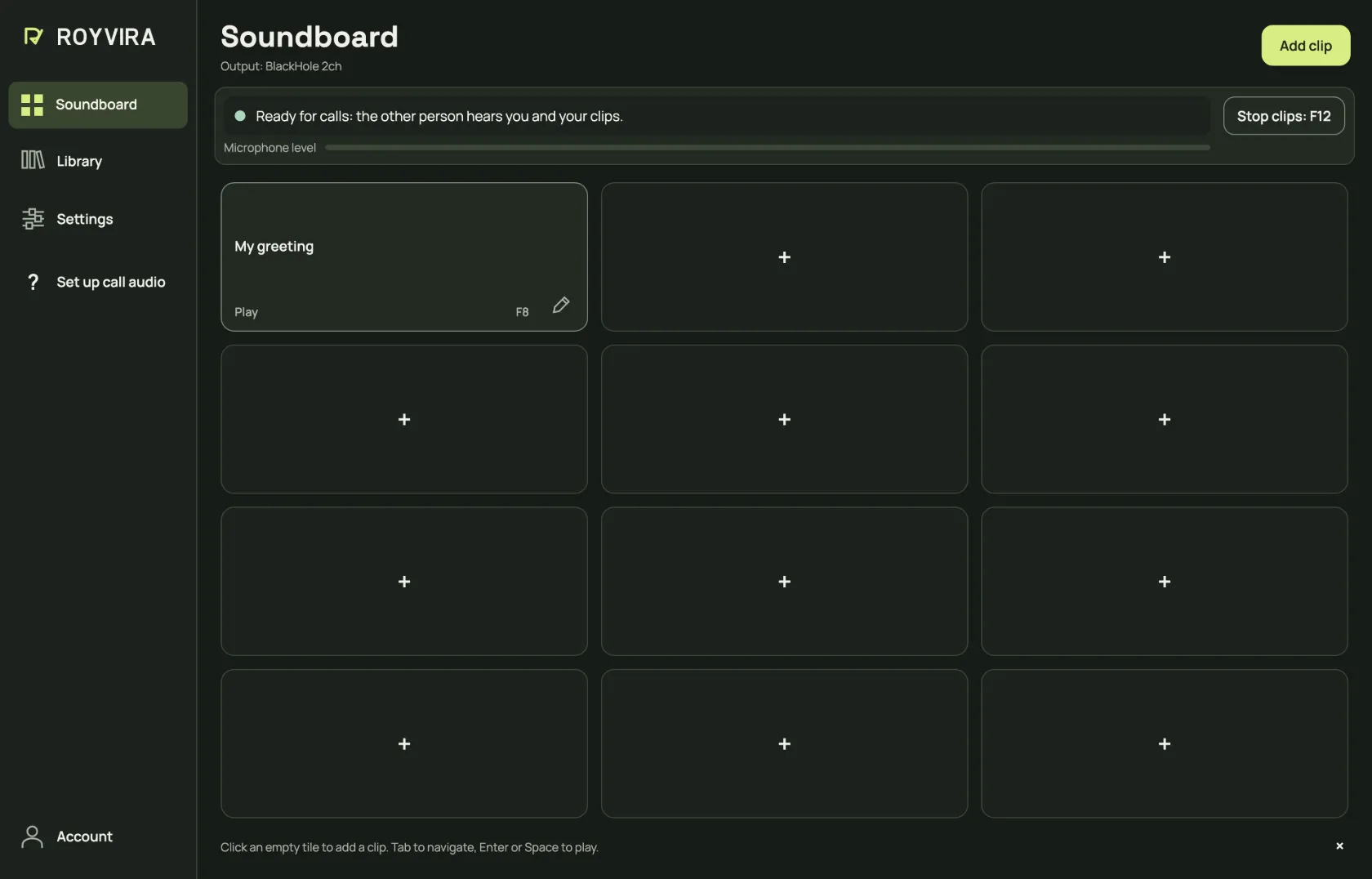
Play the clip in a test call and confirm that the other person heard you and the clip. Then choose Done.More app viewsNew soundboard with twelve slots and one example clip. Shortcuts are optional.More detail
From now on ROYVIRA starts with your Mac and runs in the menu bar. The orange dot shows that your microphone is passed to your calling app.
There is no on/off switch: while ROYVIRA runs, the other person hears you and your clips. The status line in the soundboard shows this. Mute yourself in your calling app.
Closing the window with the red button keeps ROYVIRA running. If you quit ROYVIRA, the other person cannot hear you until you open ROYVIRA again. Change starting with your Mac in Settings under Open when your Mac starts.
In the soundboard, Test now opens this step directly; a confirmed test call removes the note.
Check voice alone, clip alone and both together. Stop clips ends clips while your voice stays in the call. Also check local listening: the other person must not hear that test. Repeat the test after changing devices or your calling app.
Something is not working
Only I hear the clip.
Local listening and call output are separate. Check the status line in the soundboard and BlackHole 2ch as your calling microphone.
The status line is red.
Choose Set up or Fix next to it. If it says Not connected, check your microphone, headphones and BlackHole 2ch.
The clip arrives, but my voice is missing.
Check whether you are muted in your calling app. Check the selected microphone and its macOS permission.
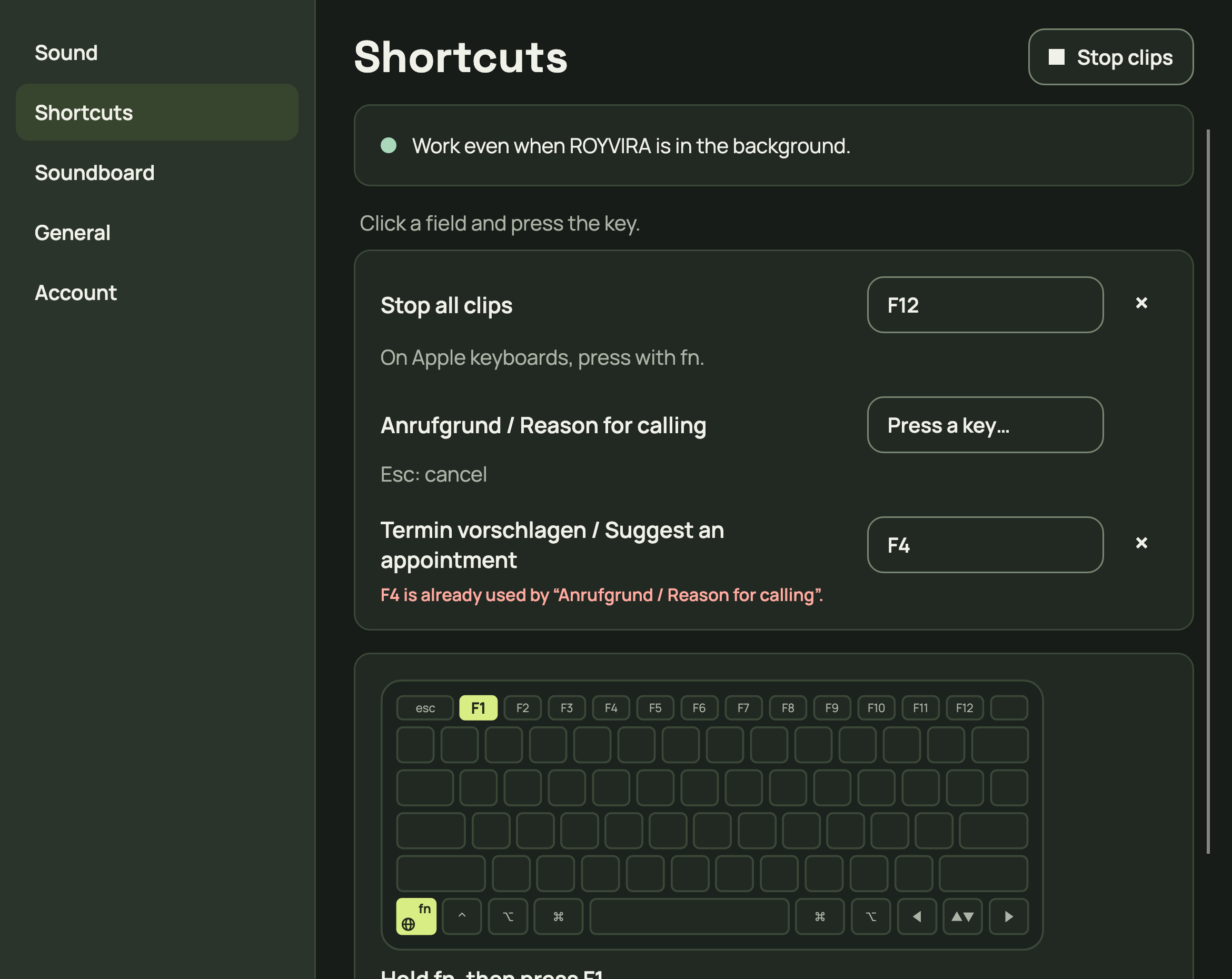
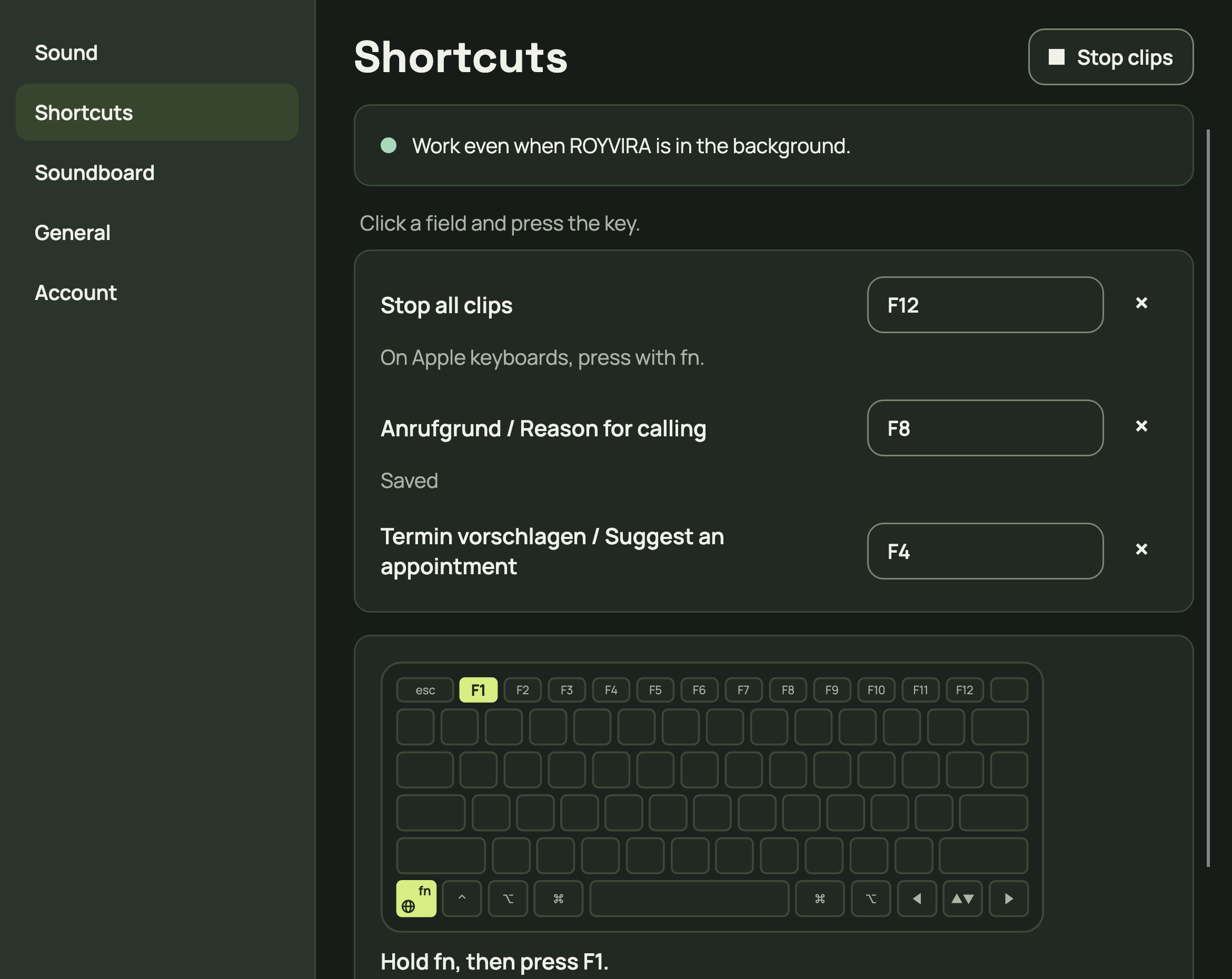
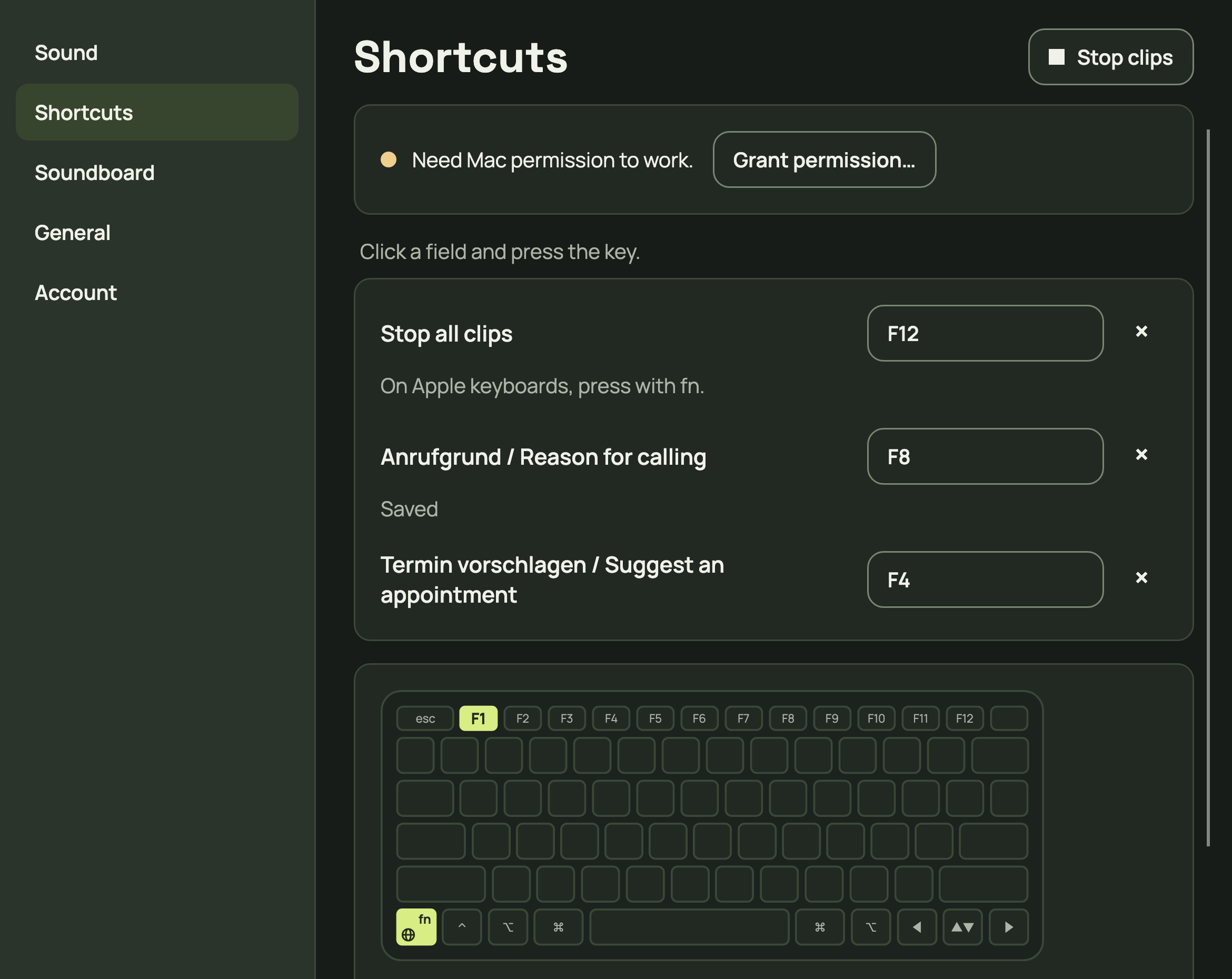
Open Settings → Shortcuts. Click the field next to a clip or Stop all clips and press the key.
Expected result: Saved appears right at the field. With Mac permission, shortcuts work even when ROYVIRA is in the background. The mouse always works.
Click the field and press the key.More app viewsSaved example clip with F8. Choose your own shortcut.Without Mac permission: choose Grant permission. Shown states are example data.More detail
Shortcuts need only the Accessibility permission: choose Open Accessibility … and allow ROYVIRA in System Settings. If ROYVIRA isn’t in the list, click “+” at the bottom, choose ROYVIRA in Applications and turn it on. The shortcuts then start by themselves. If macOS needs a restart, choose Restart ROYVIRA.
Esc cancels the entry. The × removes a shortcut. Stop all clips uses F12 by default; on Apple keyboards, press it with fn.
The keyboard picture in Settings shows how: Hold fn, then press F1. External keyboard without an fn key: press F1 directly.
Only one clip plays at a time. Use the tile or shortcut of a playing clip again to stop it. A new clip stops the playing one. The queue plays one after another.
Something is not working
The shortcut does nothing.
Check that Mac permission is granted. If the key is already used or belongs to your Mac, choose another. Use the tile with your mouse meanwhile.
My clip editor is still open.
Close this clip’s editor first, then set the shortcut again.